
Verified in public version 1.3
Styled Text for Mobile Video
Write concise on-screen text, style it for contrast and place it on the timeline without claiming automatic transcription.
On-screen text should add information the image cannot carry alone. Good wording and contrast matter more than an excessive number of styles.
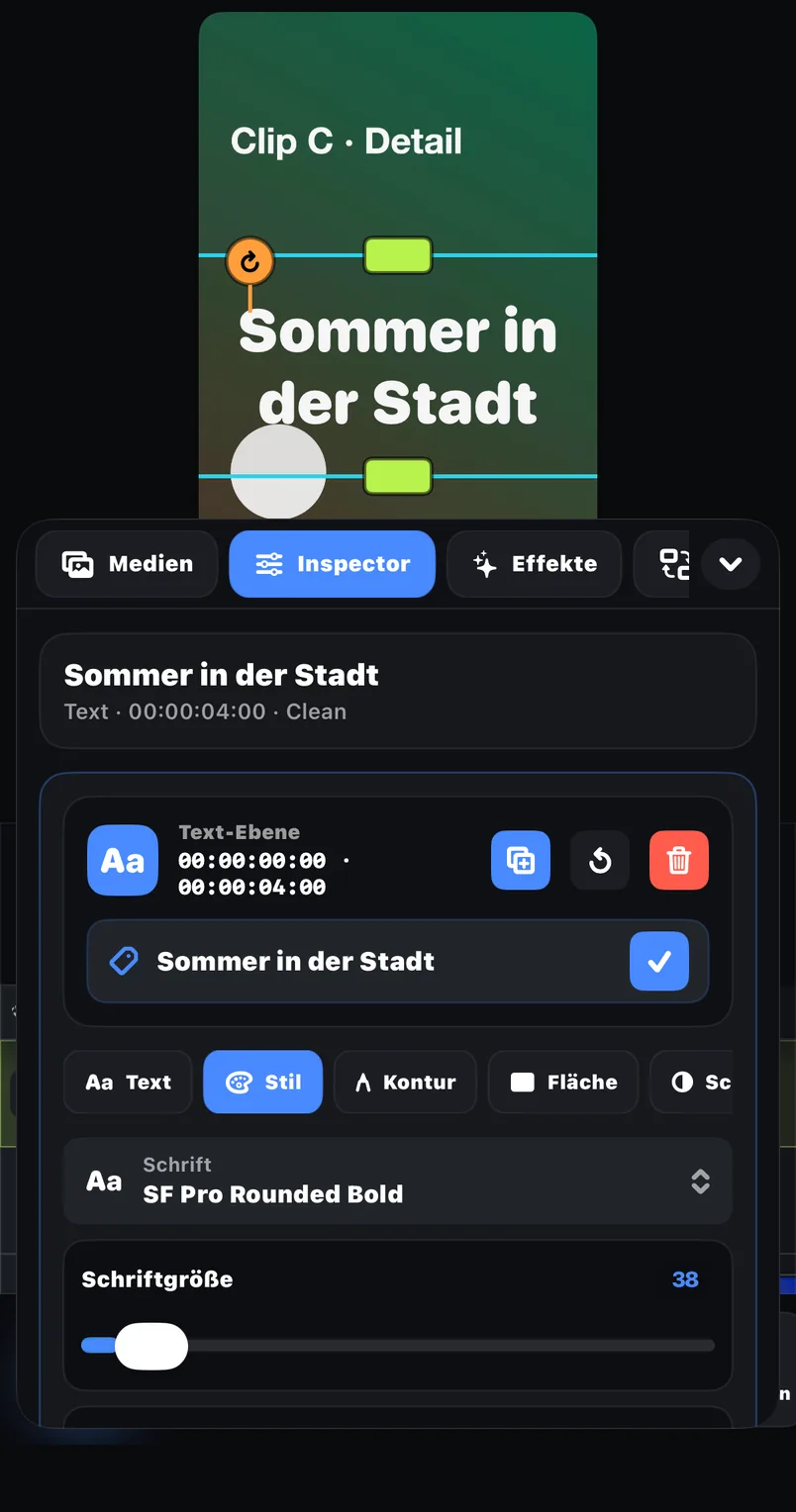
Styled text
The public listing confirms text creation and styling as part of the editor.
Independent timeline layer
Text can be planned alongside video and audio in the documented multi-track workflow.
Transform controls
Move, scale, rotate and resize supported visual elements to fit the composition.
Examples
Where this feature pays off
Opening title
State the subject in one short line while leaving the main visual unobstructed.
Step label
Name the current action so a tutorial remains understandable without narration.
Manual quotation
Type a checked excerpt and keep it visible long enough to read at normal playback speed.
In FreeCut 1.3
How to use it
Reduce the sentence
Keep only the words the viewer needs at that exact moment.
Build clear contrast
Choose a readable treatment that remains distinct over the underlying frame.
Protect the subject
Move and resize the text so it does not cover a face, product or essential action.
Read it at playback speed
Adjust the text-layer duration after watching the complete edit normally.
Creator tips
One hierarchy per video
Use a consistent distinction between title, supporting line and small label.
Preview on a phone
Text that looks generous on a desktop can become cramped on the actual viewing size.
Common mistakes
- Describing styled text as automatic captions or speech-to-text.
- Placing long paragraphs over moving footage.
- Using several unrelated styles that compete with the message.
What is verified
Styled text is part of the public FreeCut 1.3 description. Automatic caption generation, SRT handling and word-level speech timing are not included in this claim.
A readability test
Watch the export once on a phone at normal speed and once muted. If the text cannot be read or the story becomes ambiguous, shorten or retime it.
Reviewed on 2026-07-20 · FreeCut 1.3 · Review method · Source 1
Related
FAQ
FAQ
Can I add styled text in FreeCut 1.3?+
Yes. Styled text is explicitly part of the public feature description.
Does the text tool transcribe speech automatically?+
No public evidence supports that claim. Use the separate manual-caption guide for an honest workflow.
Styled Text for Mobile Video — in FreeCut 1.3.
Publicly documented in the App Store for the current version.