
Verified in public version 1.3
Keyframe Animation on Mobile
Create changes over time with keyframes, then review the movement at the final export frame rate.
A small, intentional move can guide attention without turning the edit into an effect reel. Keyframes make that timing visible and repeatable.
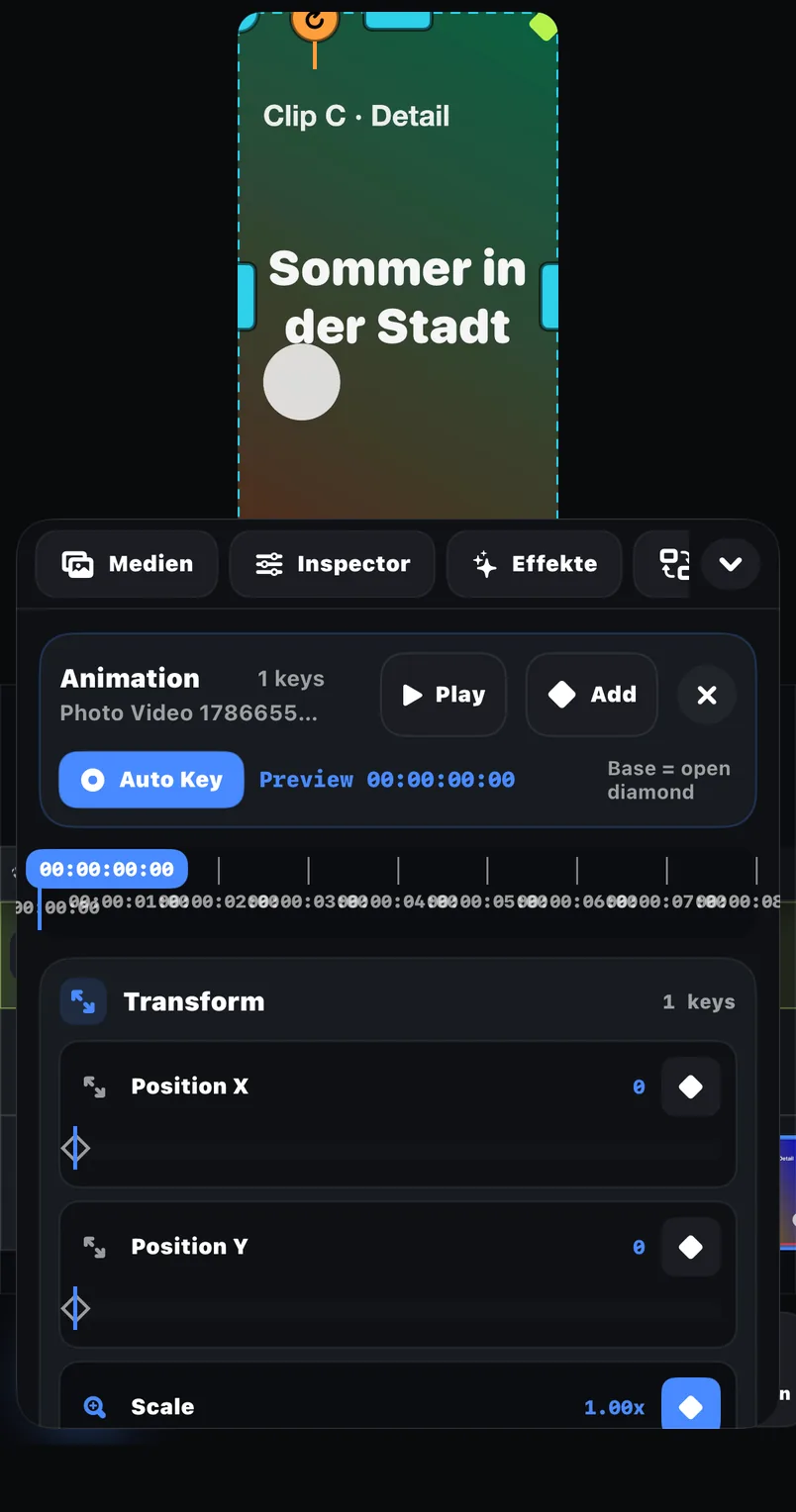
Position over time
Move an element between planned points rather than relying on an automatic motion preset.
Scale and rotation
Build a restrained reveal or reframe using controls named in the public listing.
Timeline context
Keyframes live inside a multi-track editing workflow, so text, audio and visuals can be coordinated.
Examples
Where this feature pays off
Still-image movement
Move from a wide composition to one detail while preserving enough edge margin.
Text emphasis
Introduce a title with a short scale change, then leave it still for readability.
Product reframe
Adjust position and size across a shot when the important object changes location.
In FreeCut 1.3
How to use it
Choose two meaningful states
Define the starting composition and the final point before adding intermediate changes.
Set the first value
At the opening time, record the intended position, scale or rotation.
Move later and adjust
Advance the playhead and change the same property to create the next keyframe.
Watch at normal speed
Check that the move supports the story and remains smooth at the chosen FPS.
Creator tips
Animate fewer properties
Position plus a small scale change is usually clearer than changing every control together.
Leave reading time
A title should settle long enough for a viewer to read it before it moves again.
Common mistakes
- Adding movement without first deciding what the viewer should notice.
- Rotating and scaling so aggressively that text or faces leave the frame.
- Judging motion one frame at a time instead of playing it at normal speed.
What is verified
The App Store listing names keyframes and the visual controls move, scale, rotation and resize. This page does not claim undocumented curve editors, motion tracking or optical-flow interpolation.
A reproducible test
Create a five-second project, set one starting keyframe and one ending keyframe, export a short range and compare the saved result with the timeline preview.
Reviewed on 2026-07-20 · FreeCut 1.3 · Review method · Source 1
Related
FAQ
FAQ
Are keyframes part of FreeCut 1.3?+
Yes. Keyframes are explicitly listed in the public product description.
Does this page promise advanced Bezier or tracking tools?+
No. Those capabilities are not used as public claims here.
Keyframe Animation on Mobile — in FreeCut 1.3.
Publicly documented in the App Store for the current version.