
Public version 1.3
Your edit. Without a forced watermark.
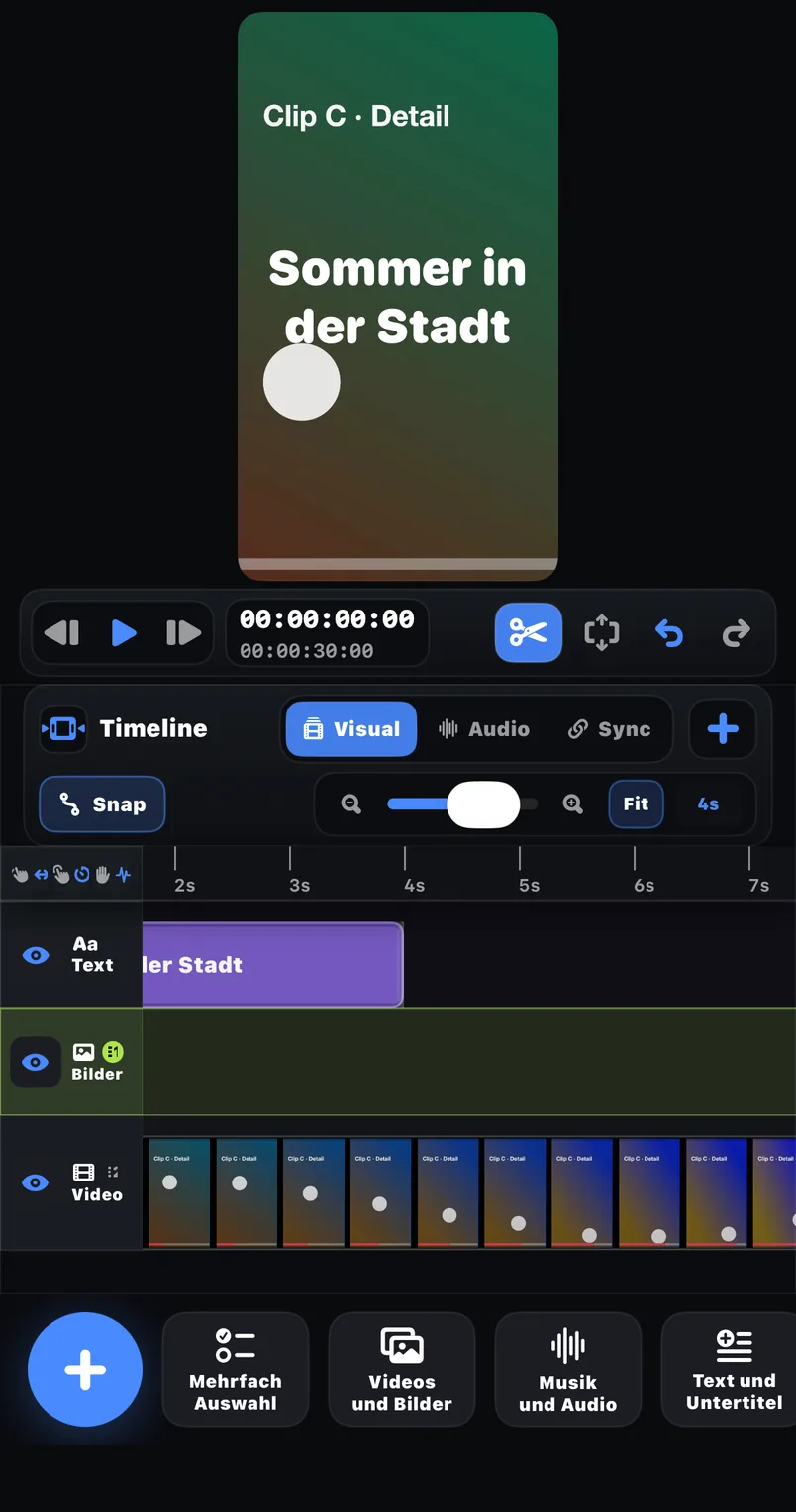
FreeCut is a mobile video editor with multi-track editing, text, keyframes, linked audio/video and controlled export. This site only promises what the public App Store version documents.
Version 1.3 · released 2026-06-25 · reviewed 2026-07-20
Documented capabilities
What public FreeCut 1.3 promises today
Every item comes from the public product description. Development-only capabilities in local builds are deliberately excluded.
Multi-track timeline
Arrange video, audio and text while switching between visual, audio and sync editing modes.
Styled text
Create on-screen titles and labels, then position them within the visual edit.
Keyframes
Animate supported move, scale, rotation and resize changes over time.
Linked audio and video
Keep related sound and picture organised and inspect sync in a dedicated mode.
Track controls
Use eye and speaker controls to inspect or mute individual tracks.
Controlled export
Choose full timeline, selected clip or range and review FPS, bitrate, codec and estimated size.
Not part of the public 1.3 scope
A clear boundary instead of future-feature marketing
Auto captions, Smart Cut, object tracking, automatic background blur, AI credits, Lifetime and effect or template packs are not marketed as available FreeCut 1.3 features.
Check availability by topicReproducible workflows
Three jobs supported by documented tools
Example 1
Short explanation
Import the approved take, remove repetition, add two concise text cards and test-export the final range.
Example 2
Voice-led edit
Start with the audio structure, link the matching picture and use track controls to diagnose unwanted sound.
Example 3
Clean client hand-off
Review the whole timeline, choose the required export scope and inspect the saved file in Photos or Files.
Purchases
Free plus monthly or yearly Pro
FreeCut is free and exports without a forced watermark. Pro removes ads — as a subscription through Apple, cancellable any time. The Apple purchase sheet shows the binding regional price.
Free
€0
The complete core editor: timeline, text, keyframes, linked media and export without a forced FreeCut watermark.
Pro monthly
€3.99 / month
Ad-free use through a monthly Apple subscription — same feature set as Free.
Pro yearly
€39.99 / year
Ad-free with yearly billing — equal to €3.33 per month, about 17% less than monthly.
Numbers, not adjectives
FreeCut 1.3 in verified facts
Download size
165.8 MB
Minimum iOS
17.0
Devices
iPhone & iPad
Price
€0 · Pro from €3.33/month
Watermark
None — including Free
Released
2026-06-25
All facts checked against the public App Store listing on 2026-07-20.
Public evidence instead of an internal roadmap
Product copy is reviewed against the published App Store page. A capability is only called available once visitors can verify it there.
Open App Store sourceFrequently asked questions
Which version does this website describe?+
The product claims on this page are limited to public FreeCut 1.3, reviewed against its App Store listing on 2026-07-20.
Does FreeCut add a forced watermark?+
The public App Store description says FreeCut exports without a forced watermark. Always inspect your own saved file after an app update.
Are Auto Captions, Smart Cut or Object Tracking available?+
They are not part of the publicly documented FreeCut 1.3 feature set, so this site does not describe them as product features.
What Pro options are publicly listed?+
Pro removes ads and costs €3.99 per month or €39.99 per year (German price list; the yearly plan equals €3.33 per month). The Apple purchase sheet shows the binding price for your region.
Where can an export be saved?+
The public description names Photos and Files as output destinations.
Review FreeCut 1.3 yourself
Open the public product page, install the current version and inspect a short test export in Photos or Files.