
Verified export controls
Export Settings and Range Guide
This page covers documented manual controls. It does not claim undocumented one-tap platform presets or guaranteed platform outcomes.
An export should match the source and destination without unnecessary conversions. Visible controls make that decision reviewable before the render starts.
Choose the export scope
Render the complete edit, one selected clip or a deliberate range.
Review technical controls
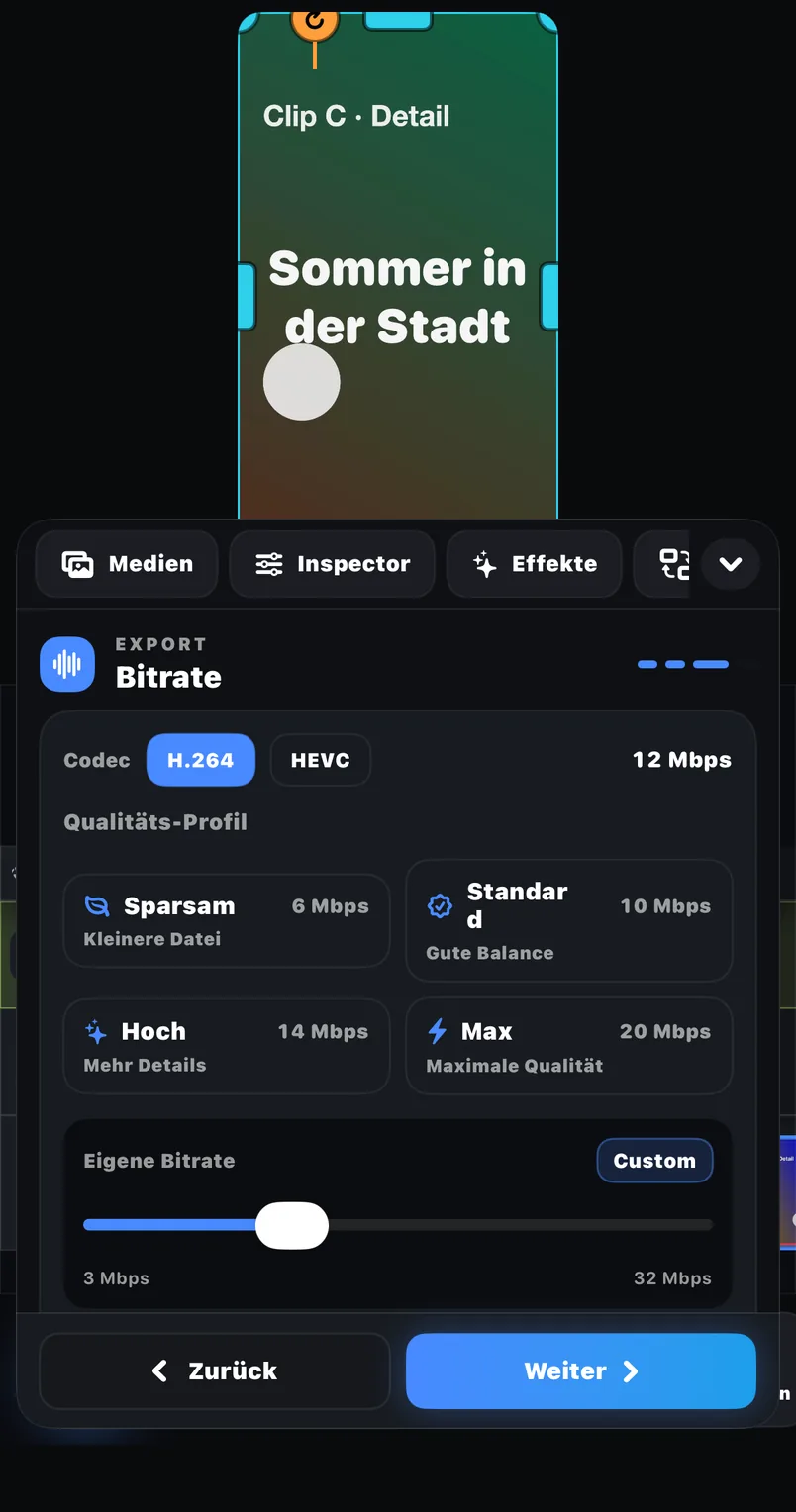
Frame rate, bitrate and codec are named in the public FreeCut description.
Estimate file size
Check the projected size before rendering and save the result to Photos or Files.
Examples
Where this feature pays off
Full project master
Export the complete timeline after a final beginning-to-end review.
Approval excerpt
Render a selected clip so a client can review one section without receiving the whole project.
Problem-range test
Export a short range around a keyframe or audio edit before committing to the full file.
In FreeCut 1.3
How to use it
Select what should render
Choose full timeline, selected clip or a range with clear start and end points.
Match frame rate deliberately
Prefer the source frame rate unless a destination requirement gives a reason to convert.
Balance bitrate and size
Use the estimated file size to catch an unexpectedly large or heavily compressed setting.
Save and inspect
Write the file to Photos or Files and play the saved result, not only the preview.
Creator tips
Test a demanding range
Use motion, text and audio from the busiest section when checking settings.
Keep the source master
Preserve one clean export before creating smaller copies for individual platforms.
Common mistakes
- Calling the controls a guaranteed TikTok, Reels or YouTube preset when the public listing does not.
- Changing FPS without checking the source recording.
- Judging the final quality only inside the editor preview.
Recommended export
Scope
Full timeline · selected clip · range
Frame rate
User-controlled FPS
Bitrate
User-controlled bitrate
Codec
User-selected codec
File size
Estimate shown before export
Destination
Photos or Files
What is verified
FreeCut 1.3 publicly lists FPS, bitrate, codec and estimated file-size controls plus full, clip and range exports. Resolution ceilings, advanced codecs and batch exports are intentionally not promised here.
Destination specifications can change
Check the current help page of the platform or client receiving the file. A social network may update duration, size or codec guidance after this article is reviewed.
Reviewed on 2026-07-20 · FreeCut 1.3 · Review method · Source 1
Related
FAQ
FAQ
Does FreeCut expose export controls?+
Yes. FPS, bitrate, codec and estimated file size are listed publicly for version 1.3.
Are one-tap social presets guaranteed?+
No. This site describes the documented manual controls, not an undocumented preset library.
Export Settings and Range Guide — in FreeCut 1.3.
Publicly documented in the App Store for the current version.